


Thanks to automation, more time for what really matters: growing your business.
Time is valuable. And thanks to technological advances, entrepreneurs can now spend more time growing their business, rather than dealing with time-consuming tasks, such as bookkeeping.
Maintaining your accounting records manually can take hours, which detracts from the time you could be spending building your business. With Pay.'s automation solutions, however, this no longer has to be the case. Using Pay.'s innovative technology, your financial transactions are automatically updated, leaving you more time to focus on what really matters to your business: success.
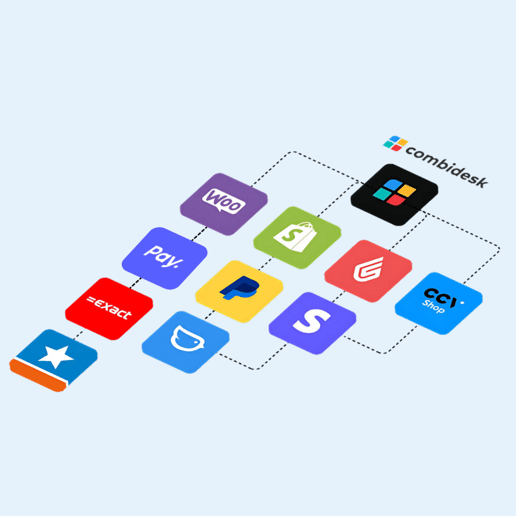
1. xCore is the linking platform for all your e-commerce links, forming the bridge between the e-commerce landscape and Exact Online. Thanks to the ready-to-go apps, you can easily link your webshop, PSP, WMS, marketplace or PIM system to Exact. Automate your processes and save time.
2. e-Boekhouden.nl: A seamless integration that automatically imports all transactions into your e-Boekhouden.nl account.
3. Twinfield: This link allows your financial transactions to be quickly and easily synchronized with Twinfield.
4. Yuki: The integration with Yuki makes it easy to automatically import financial data into your Yuki accounting package.
5. Combidesk: Thanks to the Combidesk link with Pay. you no longer need to manually check whether payments are linked to the correct open items. The accounting links Combidesk offers are AFAS Software, Exact Online, Moneybird or Twinfield.
These integrations are especially beneficial for companies that use a webshop, such as an Exact Online webshop. An Exact Online link webshop allows you to manage all your transaction data in one central place, giving you a clear overview of your finances. This provides a smooth, organized and time-saving way to keep your accounting records.
But what if you don't have an accounting link? Even then, Pay. offers a solution. The Pay. Synchronization Module allows you to automatically generate transaction data to import into your accounting system. This advanced tool not only saves you time, but also ensures that your financial records are accurate and up-to-date.

With the Pay. Synchronization moduleyou can generate and send different files automatically in the format and frequency you want. This gives you the ability to decide how often you want to receive updates and in what format. This gives you complete control over your accounting processes, seamlessly integrating accounting into your daily operations.
The module is designed with the user in mind. Whether you prefer to receive weekly updates or want real-time reports, you can set the frequency to suit your business needs. As a result, you are always up to date with the latest financial status, allowing you to make proactive business decisions.
In addition, the Pay. Synchronization module allows you to choose in which format you want to receive the files. This means you can have the files generated in a format that can be seamlessly integrated into your current accounting system. Whether you choose MT940, CSV or another supported format, you can be confident that you'll get all the information you need in a way that makes the most sense for you.
The file formats supported by the Pay. Synchronization module include:
1. MT940: This is a standard file format used for exchanging financial bank statements.
2. CSV (minimum): This format contains the most crucial information of your transactions.
3. CSV (with customer data): This is a more comprehensive CSV format that includes customer data.
4. Coda XML: This is a standard file format for exchanging Belgian bank statements.
With the Pay. Synchronization module, files can be sent to you in several ways:
1. Email: You receive your files directly to your inbox.
2. SFTP: The files are uploaded to your servers.
3. API: The files are pushed to your own API endpoint.
4. Linked accounting package: The files are synchronized directly with your accounting package.
These advanced features allow you to focus on what really matters - growing your business while Pay. takes care of your accounting. With features like the exact online link for web shops, Pay. helps you automate your accounting and optimize your business processes. So whether you have an exact online webshop or are considering starting one, Pay. offers the perfect solution for your accounting link.