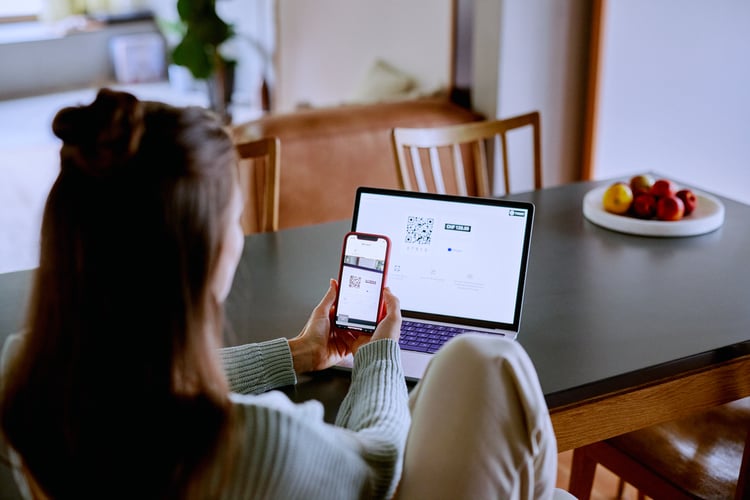

Paying with QR code

Pay securely with QR code via Pay.

With the collector on the collection box, at the checkout in the supermarket, while paying for your drink on the terrace, and on your business invoice; more and more it is possible to quickly scan a QR code to pay for something. Not surprisingly, business owners are allowing their customers to pay using QR codes for a better customer experience.

twint qr code - payment options pay.co.uk-1
QR codepay
What is a QR code?

Actually, a QR code is not much different than the barcode found on many products. The main difference is that a QR code can contain much more information (up to 7,000 characters), for example payment information, but also location and product information. Other advantages are that it is less error-prone and is read faster. QR does not stand for Quick Response for nothing.

Despite the promising technology, it seemed that the QR code and thus QR code payment would die a quiet death. However, thanks in part to the corona epidemic, the QR code is now rapidly becoming established.
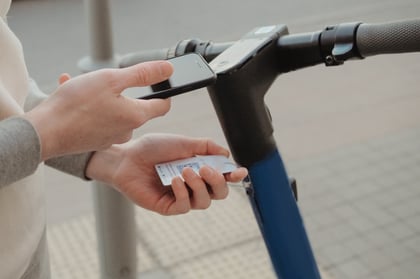
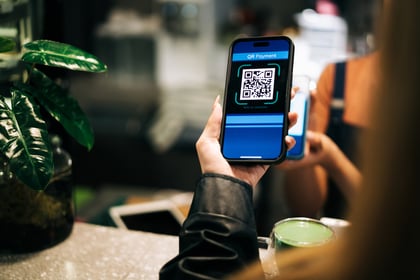
Paying with QR code is increasingly common.

When paying, there are several times when a QR code can be used. It can be just a link to a payment environment. The page then still requires all data to be entered by the customer .

Because a QR code can contain more data, data such as amount, transaction number or personal data can also be "in" the QR code. This is for example if the QR code is linked to a cash register or if the sender of the QR code has already entered some data. Sometimes it is also possible to modify data on the phone, for example to tip.

It is also common when paying with QR code, that the QR code is used for verification. This is for example when scanning the QR code in the checkout to verify and complete an iDEAL transaction.

a-man-scans-an-electric-scooter-qr-code-for-rent-pay
What is an advantage of paying via QR code?

Using a QR code makes payments easier and faster by eliminating the need to use a credit card, cash or banking device. Instead, customers can use their phone to scan the QR code and complete the payment.

What do I use to scan a QR code?

Often, scanning the QR code can be done simply with the phone's camera. But to reduce the risk of fraud, many QR codes are also only readable with the specific bank app, iDEAL app or Tikkie app. Pay. therefore always recommends using the corresponding app or the bank's app for a QR code payment.

Is paying with QR code secure?

The short answer is yes. Paying by QR code is secure. Of course, as with any financial transaction you do, it is advisable to take some precautions. Because there are chances of fraud even with QR codes, whichis why we recommend these precautions:

  • Verify the legitimacy of the QR code before making the transaction. Is the site on which the QR code appears reliable? After scanning, does the QR code not lead you to a suspicious area?
  • Double check the amount indicated on your phone's screen. At the speed of the transaction, additional money may just be deducted from the QR payment.
  • Use a security software to protect your device from malware and other threats.
  • Check your bank account regularly to make sure no unauthorized transactions have been made. Contact your bank or credit card company if you notice anything suspicious.

What does a QR code payment cost?

There are no additional fees associated with paying with a QR code. The QR code takes you to a payment screen or provides payment verification .

However, any payment fees may be charged by the provider when using certain payment methods. For example, many online stores charge a small fee for using PayPal or Credit Card. However, these fees have nothing to do with using the QR code.

QR Code Cashless Payment
QR code payments through Pay.

Because Pay. has its own iDEAL Acquirer license, we are able to process transactions faster. Also, Pay. is one of the first online payment service providers to enable QR code payments via iDEAL.

Pay. has developed the dynamic QR code tool in which only one code is created for different payment moments. As a result, you as a (web) merchant no longer have to adjust payments manually: one QR code suffices.

In addition to the dynamic QR code tool, Pay. has also introduced the real-time QR payment. This allows your customers to easily and quickly complete a payment via iDEAL. This speeds up the process of scanning QR codes. This allows your customers to make a payment quickly and flawlessly.

Through Pay. you create QR payment requests easily and quickly.

Pay. customers can create QR codes for payments in the admin panel. The QR code can be used on invoices to make it easier for customers to make payment. Creating a QR code can be done through the pay by link payment option.

Register now and discover the benefits of Pay

Instantly arrange all your online and in-store payments.

  • Payments within 15 minutes
  • All information on one platform
  • Maximum insight into your payment traffic