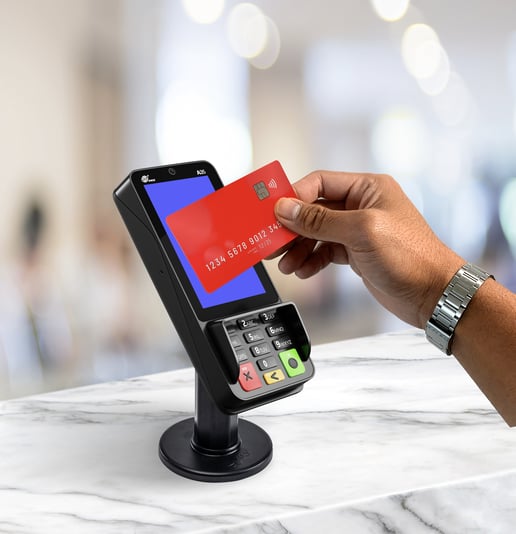
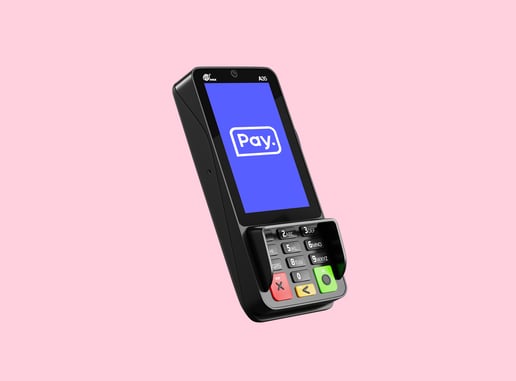
The A35 pinterminal belongs to the latest generation of payment terminals. The terminal has a clear display, illuminated card reader and an integrated PIN shield. A complete payment experience for your customer
The terminal is easy to install and connects to the Internet via an Ethernet connection. The terminal uses a CTAP/cloud solution.
Read all about connecting the A35 here
Verify that the A35 pinterminal is present.
Check for an adapter with USB cable included.
Check that the Ethernet cable is present.
Check that the pinpad cable (red end) is present.
1. Ethernet (Internet): Connect the supplied Ethernet cable to the appropriate port, the red end of the pinpad cable. For a stable connection, we recommend connecting the terminal directly to an Internet modem or router.
2. USB cable (power): Connect the included USB cable with USB Adapter to the power outlet. The USB-C end should also be connected to the pinpad cable. It is important that the terminal is connected to 24-hour mains power and not turned off at night. Use only the included USB Adapter.
3. Pinpad cable: finally, the pinpad cable can be connected to the A35, at the back center with the flat side down. Once this is done the supplied cover can be put on.
Once you have connected the terminal and "Welcome" is shown on the display, check that the terminal is working. To check this, we recommend making a one-cent test payment. This can be done in several ways:
Through POS software:
If you are using a POS vendor, contact them to get the link working. In some cases, you will need to enter data such as your API token to establish the link to the Pay. platform.
Via Mpos.co.uk, Collectdesk or the Pay. app:
Don't use a POS provider but still want to be able to PIN easily? Then you can use one of our tools to initiate payments. Find more information in our knowledge center. See Mpos, Collectdesk or the Pay. app.

No POS connection does not necessarily mean that the terminal cannot connect to your POS, but means that it cannot connect to Pay's PIN server. This can have several causes:
This message occurs when the parameters of the pin contract are not (no longer) loaded correctly into the terminal. At night, periodic updates to the software are performed and the keys/parameters are refreshed. It is important that the terminal is thereforenot switched off after the end of the day. This way, keys and parameters remain intact.
To refresh the parameters and reload them, please contact the PIN department(pin@pay.nl)
The terminal is probably receiving insufficient power when sending payment data to the transaction host. Often this occurs when the terminal is connected incorrectly; for example, because the power cable is plugged into one of the USB inputs of a computer or when an adapter is supplied that does not have enough power. The terminal will then boot up, but for more intensive processes it needs more power. The terminal must be connected to the mains via the supplied adapter.
Have you connected the terminal with the adapter provided with the terminal and the problem persists? If so, please contact our support department.
If you are unable to complete a return PIN transaction successfully, there may be several causes:
Contact the help desk via chat, phone or email and let us know which part is missing. We will fix it for you as soon as possible!
You can always initiate a debit card transaction through our online tools as described above . Do you have a tip for our partner team to create an integration with your software vendor? If so, please send the details to partner@pay.nl.
At night, periodic updates are performed and keys/parameters are refreshed. Therefore, it is important that the terminal isnot switched off after the end of the day. This way, keys and parameters remain intact.
To refresh the parameters and reload them, contact the PIN department at pin@pay.nl