
Integration

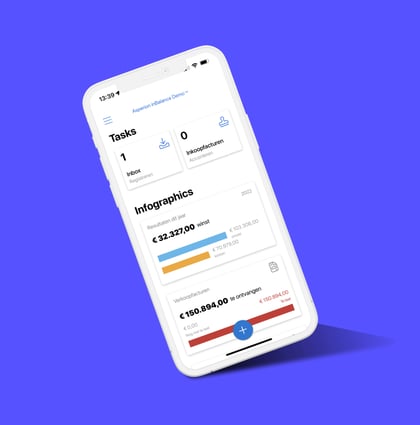
Asperion: online accounting software for business owners and accountants.

Do you work with the online accounting software Asperion and with Pay? Then let themwork together perfectlywith the help of PSPbetalingen.nl. PSPpayments.co.ukensures that the payments coming in to Pay. are processed directly, automatically and error-free in the accounting with Asperion.

Asperion-2
Online accounting software for small and medium-sized businesses.

Simplicity and convenience are at the heart of this Dutch company. Asperion's software package is easy to link with webshops, ensures that all data is safely stored in the cloud, and because Asperion works completely online, it is possible to view the accounts anytime and anywhere .

By linking Pay, the bank and a web shop with Asperion, much of the accounting is fully automatic. VAT returns and other tax matters are taken care of in no time thanks to Asperion.

Asperion-4

What this linkage does.

Payments coming in to Pay. are processed fully automatically in Asperion's accounting software. As a result, typing over is a thing of the past, making the process less error-prone and time-consuming.

Payments are retrieved from your Pay. account at least once an hour. These payments are processed as much as possible. Every night the payments that were previously retrieved but could not yet be transferred to Asperion are checked to see if they can now be processed .

The status of each payment can be found in the PSP payments dashboard. It also shows what you can do if a payment cannot be processed. Payments that did go through as usual can be seen in a clear dashboard and of course in the Asperion overview.


How to get started.

You start the setup by signing up for a trial period on the PSP Payments links page, then follow the instructions.

If you want additional security for the connection, you can add the IP addresses of PSP Payments in your Pay. account so that your account can only be accessed from these addresses.

Note: This link does notreplace your accountant's work. This link saves time because you don't have to retype. The bookkeeper is still needed for advice, knowledge and control.

How do you take advantage of this link?

Activating the link consists of three steps:

  1. Establishing the connection with the Pay.nl account. Through this step, you authorize the link to read the data from your account. To make the connection with Pay.nl, you need a code and token from your Pay.-account, which can be found through Dashboard > Settings > Website settings in your Pay.-environment.
  2. Establishing the connection with Asperion. This allows transactions to be written in Asperion and allows the connection to read information in Asperion.
  3. Configuring additional data, such as suspense accounts for payment methods.

Access to 50+ national and international payment methods.

Register now and discover the benefits of Pay

Instantly arrange all your online and in-store payments.

  • Payments within 15 minutes
  • All information on one platform
  • Maximum insight into your payment traffic