

Asperion: online accounting software for business owners and accountants.

Do you work with Asperion online accounting software and Pay? Then let them work together perfectly with the help of PSPbetalingen.nl. PSPbetalingen.nl ensures that the payments that come in to Pay. are processed directly, automatically and error-free in the accounting with Asperion.

SAAS PICTURE PARTNERS

Online accounting software
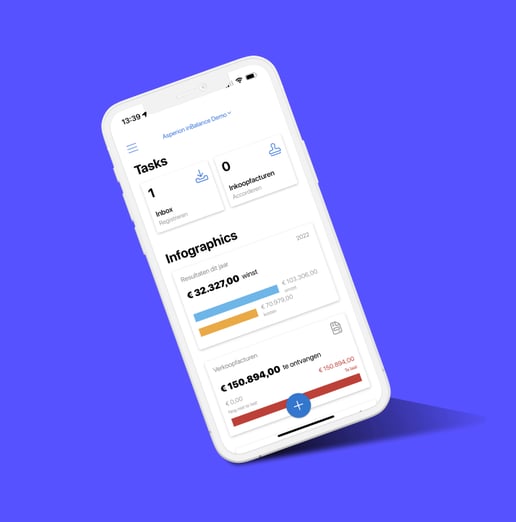
Asperion-4

Online accounting software for small and medium-sized businesses.

Simplicity and convenience are at the heart of this Dutch company. Asperion's software package is easy to link with webshops, ensures that all data is safely stored in the cloud, and because Asperion works completely online, it is possible to view the accounts anytime and anywhere.

By linking Pay, the bank and a web shop with Asperion, much of the accounting is fully automatic. VAT returns and other tax matters are taken care of in no time thanks to Asperion.

Asperion-2

What this linkage does.

Payments coming in to Pay. are processed fully automatically in Asperion's accounting software. As a result, typing over is a thing of the past, making the process less error-prone and time-consuming.

Payments are retrieved from your Pay. account at least once an hour. These payments are processed as much as possible. Every night the payments that were previously retrieved but could not yet be transferred to Asperion are checked to see if they can now be processed.

The status of each payment can be found in the PSP payments dashboard. It also shows what you can do if a payment cannot be processed. Payments that did go through as usual can be seen in a clear dashboard and of course in the Asperion overview.

How do you use the Weeztix link?

Want to know more about Asperion?

Want to know more about Asperion?

Read more
Automatic processing

Payments that come in to Pay. are automatically processed in Asperion's accounting software. Manual retyping is therefore no longer necessary.

Fewer errors and wasted time

Because payments are routed automatically, the process becomes less error-prone and you spend less time on administrative work.

Regular monitoring

Payments are retrieved from your Pay. account at least once an hour. Payments that could not yet be processed are rechecked every night.

Clear insight

In the PSP payments dashboard, you can see the status of each payment. You also see what you can do if a payment cannot be processed.

FAQ

Frequently Asked Questions

Any more questions?

Get in touch

What does the link between Pay. and Asperion do?

The link ensures that payments coming in to Pay. are automatically processed in Asperion's accounting software. This eliminates the need to manually retype payments and makes the process less error-prone and less time-consuming.

How often are payments collected and processed?

Payments are retrieved from your Pay. account at least once an hour and processed immediately whenever possible. Payments that were previously retrieved, but could not yet be transferred to Asperion, are rechecked every night.

Where can I view the status of my payments?

The status of each payment can be found in the PSP payments dashboard. There you can also see what you can do if a payment cannot be processed. Payments that have been processed successfully can be viewed in the dashboard and in the overview of Asperion.

How do I activate the link with Asperion?

Activating the link consists of three steps. First, you establish the connection with your Pay.-account by authorizing the link to read data from your account. For this you need a code and token from your Pay.-account, which can be found via Dashboard > Settings > Website settings. Next, you establish the connection with Asperion so that transactions can be written and information can be read. Finally, you configure additional data, such as suspense accounts for payment methods.

achter elke betaling pay-logo