PayByLink: faster and easier payment through a payment link

Send a PayByLink payment link via email, SMS or as a QR code within seconds. With this, offer your customer payment convenience and receive funds up to three times faster. Whether for billing processes, online purchases, mobile transactions or collection processes, PayByLink has the solution.

20250428 mobile payments77

Benefits of the integration between Pay. and PayByLink

Send payment links quickly and easily
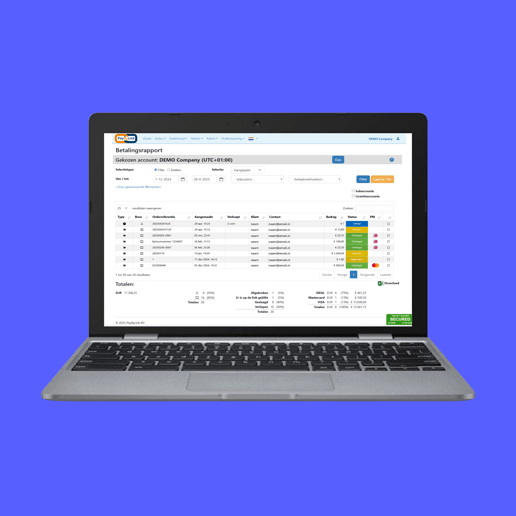
Send payment links manually from the dashboard or fully automated from a linked system. Do this individually or in batches. Fully aligned with the existing business process.

Seamless links with accounting and management systems
PayByLink interfaces with a wide range of accounting software, ERP systems, property management systems (PMS) and much more.

Simplify the payment process and send automated payment links from these systems.

PayByLink

The all-in-one solution for sending payment links smartly, quickly and professionally

Why PayByLink?

Learn more
Wide range of payment methods

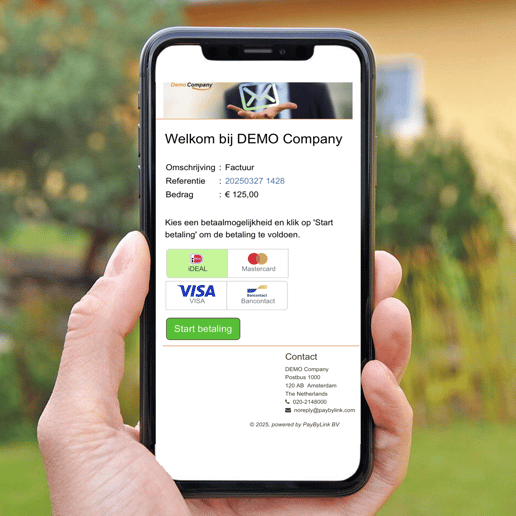
All payment methods from Pay. (such as iDEAL, Bancontact, Apple Pay, PayPal, credit card, etc.) are available for pay links.

Automatic follow-up and reminders

Payment links are automatically followed up with reminders if payment is not made, saving time and reducing open items.

Increase your conversion rate

Create email templates in any language, in your own style. This increases trust and conversion, especially when combined with the Pay. payment page.

Real-time payment status feedback

Pay. records payments instantly; PayByLink updates the status in real time and links back to your system. This saves manual work and speeds up processing.

SoftPOS: receiving payments easier than ever

With SoftPoS, you turn your Android smartphone or other Android device into a payment terminal in no time, without the need for additional hardware.

Overview of links

See an overview of links to PayByLink here

This is just an overview of some of the links. Contact PayByLink to see which link is right for you.

PayByLink

Frequently Asked Questions

Any more questions?

Get in touch

Why use a payment link?

A payment link is a payment request in the form of a link.

A payment link offers your customer ease of payment and therefore you receive your payment very quickly.

You send a payment link within seconds via e-mail, SMS or as a QR code.

Your customers can click on the payment link or payment button from a PC, laptop, tablet or mobile phone and pay immediately.

Can I also send payment links from my own system?

Yes, you can. Payment links can be integrated into your own system.


The payment links or QR codes can then be sent from your own system, or via Outlook, Gmail, Whatsapp, Signal or any other distribution channel. You can also add the payment link or QR code on the invoice (.pdf or letter mail).

Can I send reminder(s) if a payment link has not yet been paid?

Yes, you can set up reminders to be sent. You can determine the number of reminders and when they should be sent. The texts of these reminders can be tailored to the message you want to convey.

What payment methods can I offer?

Almost all payment methods activated for you in your Pay. account can also be activated in PayByLink.

achter elke betaling pay-logo